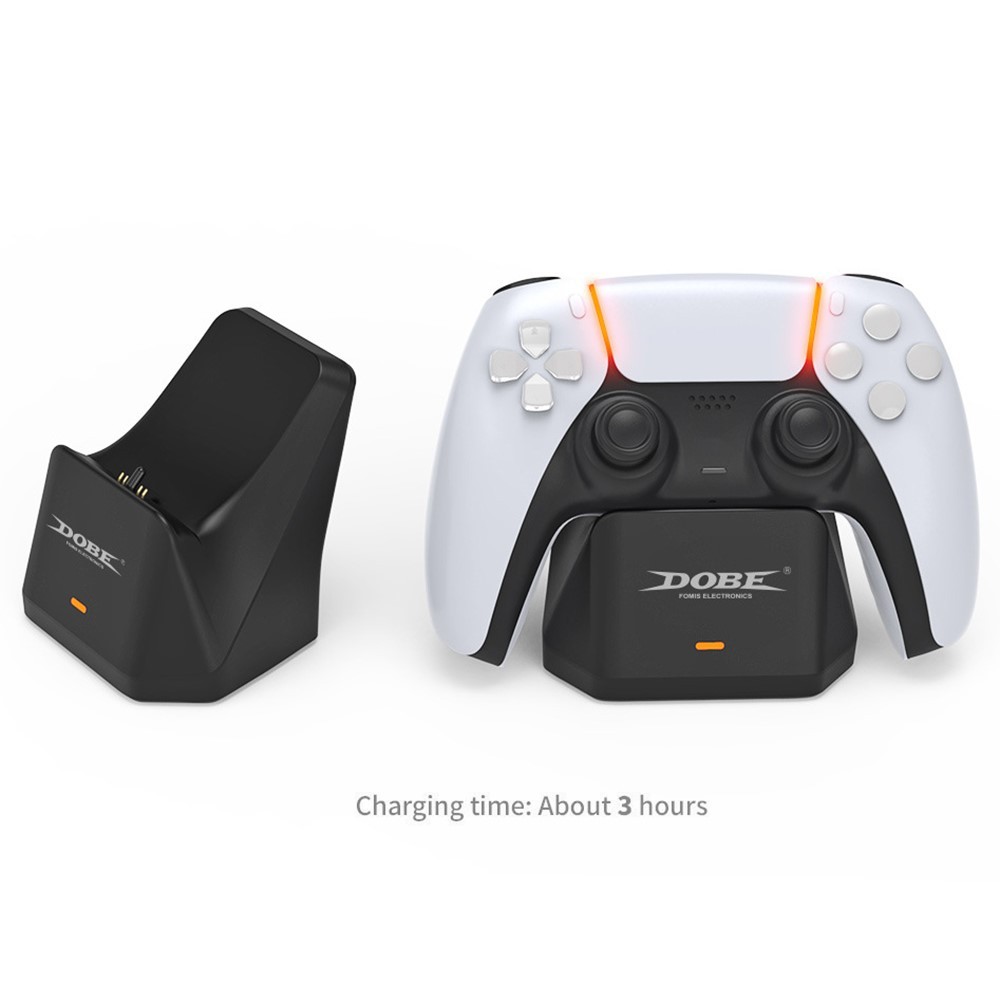


There is a non-slip rubber pad at the bottom of the charger, which is very stable. The shape of the charger is very consistent with the PS5 controller, making it very convenient to place.
There is a red power indicator light on the front of the charger while charging, which is very intuitive.
This product is equipped with a USB to Type-C charging cable, which can be powered from any USB port for the PS5 host without having to purchase a separate power supply.
The power interface is located at the bottom on the back of the product. Use a USB to Type-C charging cable to connect to the PS5 host, plug in the USB 2.0 male connector for the PS5 host and then connect the Type-C male connector to the power supply port.
After the power is turned on, a red light power indicator is on the front, and the red light is always on when the power is on.
Place the PS5 controller horizontally on the charger's charging pad at an angle to charge (Note: When placing the controller, align the circular rubber column on the charger with the earplug hole on the controller).
When the controller is charging, you can see the orange breathing light on the controller, and the orange breathing light on the controller turns off when it is fully charged (Note: the orange breathing light is only displayed when the controller is not charged).
The controller is connected to the host. While charging, only a long white light appears on the controller. When charging a game, the controller shows a long blue and white light.
The red light on the front of the base is the power indicator, which starts to light up when the base is connected and goes out when the power is turned off.
When the charging level for the PS5 controller reaches more than about 80%, if you unplug and plug in the controller at this time, the controller may not charge due to the controller's battery protection feature; you must wait until the battery level in the controller is below 80% to continue charging.
Rated input voltage/current: 5.0V DC
Rated output voltage/current: DC 5.1V 1.5A
Maximum power consumption in standby mode: ≤0.3W
Operating temperature: 5 ~ 35 ℃
Relative humidity: 5%~90%
Size: 85*90*65mm
Charging time: When the battery is depleted, it takes the controller approximately 3 hours to charge.
1 x Charging Station
1 x Charging Cable
1 x English User Manual

 |  |  |  |
The product has been added to your cart



Total: €0
To Checkout