• Huge assortment
  • Deliveries from Sweden

Motorola Edge 50 Fusion Covers

A Motorola Edge 50 Fusion case is a phone case that encloses both the front and back and provides comprehensive protection against scratches, knocks and everyday wear. Unlike a simple phone cover, the case often includes card slots and a magnetic clasp — a combination of protection and practical storage in one. The Edge 50 Fusion has a glossy glass back that is easily scratched and a raised rectangular camera module in the upper-left corner that is vulnerable without a protective case. In the Motorola range at SkalHuset you will find a wide selection of cases to suit different needs and styles.

Products

What types of cases fit the Motorola Edge 50 Fusion?

For the Edge 50 Fusion, there are seven common case types depending on how you use the phone and which protection you prioritize.

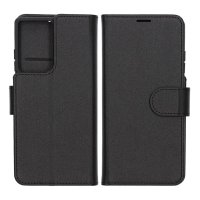
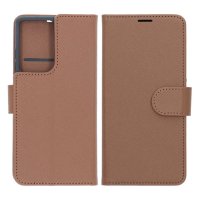
  • Wallet case - covers front and back with card slots and a magnetic clasp; protects the screen and the raised camera module from impacts and scratches in your pocket.
  • Flip case - opens vertically and provides full screen and back protection; one of the most comprehensive options for versatile everyday use.
  • Leather case - made of genuine leather or PU leather for a premium feel and classic finish.
  • 2-in-1 case - a detachable inner shell combined with a wallet part that can be used together or separately.
  • Slim wallet case - thin profile with room for a couple of cards without noticeably increasing the size.
  • RFID-protected case - blocks skimming of contactless payment cards and suits those who carry bank or credit cards in the case.
  • Window case/Smart View - a transparent window on the front to see notifications without opening the case.

Which brands offer cases for the Motorola Edge 50 Fusion?

For the Edge 50 Fusion, SkalHuset offers cases from Gear, which is known for durable cases and shells with thoughtful construction and a good fit across different price ranges - the full range can be found via the filter on the category page.

How do I choose the right case for the Motorola Edge 50 Fusion based on needs and usage?

The most common need is combined protection and storage - in that case a wallet case or flip case with a raised bezel around the screen and camera fits best.

  • Protection and everyday use - flip cases and wallet cases with raised edges protect the glossy glass back and the raised camera module from drops and scratches.
  • Card slots and wallet function - choose the number of card slots according to your needs; RFID protection is worth prioritizing if you carry contactless payment cards in the case.
  • Wireless charging - the Edge 50 Fusion supports Qi charging but lacks built-in magnets; metal parts in the wallet section can interfere with charging and should be avoided or removed during charging.
  • Stand and kickstand function - a case with a kickstand facilitates movie watching and video meetings on the 6.7-inch screen.
  • Material and feel - genuine leather provides a premium grip and ages with character, while PU leather and TPU are lighter and more durable alternatives.
  • Combination with a screen protector - an overly thick case can lift the edges of a screen protector and impair adhesion to the curved screen edge.

How do I ensure that the case fits the Motorola Edge 50 Fusion exactly?

The crucial factor is that the case's camera opening matches the Edge 50 Fusion's rectangular camera module exactly - the cutout must cover all lenses without obscuring them or leaving gaps. Always check that the model name is correctly stated; the Edge 50 Fusion should not be confused with the Edge 50 Pro or Edge 50 Ultra, which have different camera configurations and dimensions. A wrong case risks blocking buttons, ports, or parts of the camera module.

Which accessories complement a case for the Motorola Edge 50 Fusion?

A tempered glass screen protector protects the OLED display from scratches and cracks. A lens protector sits directly over the camera module and prevents scratches on the lenses. A wireless charger charges without the case needing to be removed, provided it lacks metal parts. A case is an alternative for those who prefer a slim protection without card slots and extra bulk.

Filter
Sort by

Filter

Search


Price (EUR)


Warehouse location


Properties


Color


Material


Brand

Displaying 4 of 4 results

Sort by

  • Recommended

  • Name

  • Price ascending

  • Price descending

  • Latest items

  • Stock

The product has been added to your cart

Shopping Basket

Total: €0

To Checkout